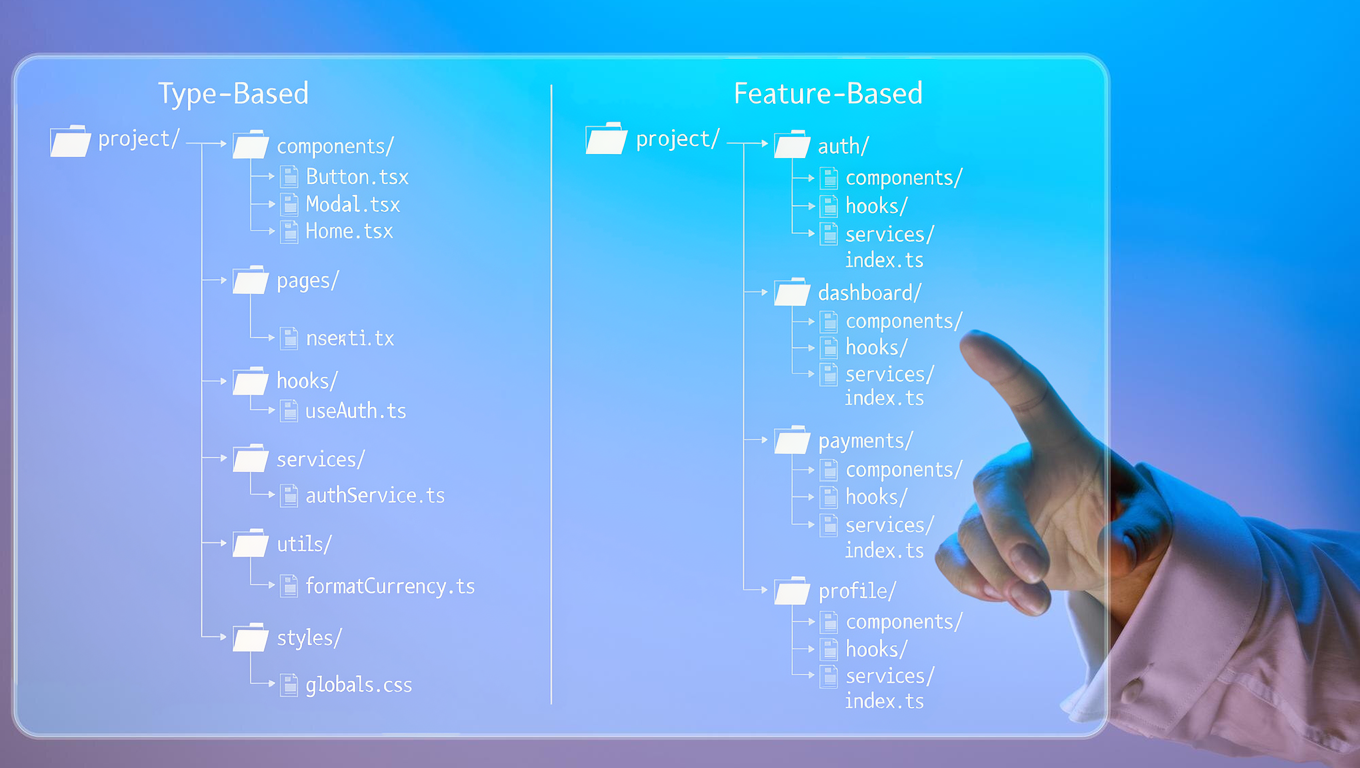
Compare type-based vs feature-based frontend folder structures. Learn best practices for React, Next.js, and Vue to build a scalable frontend architecture.
The Introductory Architectural Decision
One of the most critical decisions in frontend architecture is determining your project folder structure. When building applications with React, Next.js, Angular, or Vue, your directory design dictates how quickly developers can navigate code, debug issues, and ship features.
A well-structured codebase answers one fundamental question:
"Where should I go to make this change?"
This question is independent of the framework you're using. Whether you're building applications with React, Angular, Vue, Svelte, SolidJS, Next.js, or Nuxt, the same architectural principles apply.
There are two common approaches used in frontend applications:
- Type-Based (Layer-Based) Folder Structure
- Feature-Based (Modular) Folder Structure
Let’s explore how both work and when to use each.
Type-Based (Layer-Based) Folder Structure
The type-based approach commonly found in starter templates; groups files strictly by their technical function rather than business logic:
src/
├── assets/
├── components/
├── pages/
├── layouts/
├── hooks/
├── context/
├── services/
├── utils/
├── constants/
├── routes/
├── styles/
├── App.tsx
└── main.tsx
Why It Works for Small Projects
It is simple and intuitive. Need to build a new UI button? Put it in /components. Need an API call? Put it in /services. Everything has a clear home.
Each folder has a specific responsibility.
- assets → Images, icons, fonts, and other static files
- components → Reusable UI components
- pages → Route-level pages or screens
- layouts → Application layouts
- hooks → Custom hooks or composables
- context → Global state or providers
- services → API calls and business logic
- utils → Helper functions
- constants → Application constants and enums
- routes → Route configuration
- styles → Global styles
The biggest advantage of this approach is its simplicity.
If you need to create a new component, you immediately know it belongs in the components folder.
Need to add an API?
Go to services.
Need a helper function?
Place it in utils.
Everything has a clear location.
This makes it an excellent choice for beginners and smaller applications.
Advantages of Type-Based Structure
- Easy to understand
- Familiar to most frontend developers
- Great for prototypes and small projects
- Simple onboarding experience
- Straightforward project setup
For applications with limited functionality, this structure is more than enough.
Where It Starts Becoming Difficult
As the application grows, the drawbacks become more noticeable.
Imagine your application now includes:
- Authentication
- Dashboard
- Orders
- Payments
- Reports
- Notifications
- Settings
- User Profile
Now someone asks:
"Can you add Google Login?"
To implement this feature, you may need to update files spread across several folders.
src/
├── components/
│   ├── LoginForm.tsx
│   ├── GoogleButton.tsx
│   └── VerifyOtp.tsx
│
├── hooks/
│   └── useLogin.ts
│
├── services/
│   └── auth.service.ts
│
├── constants/
│   └── auth.constants.ts
│
├── utils/
│   └── token.utils.ts
│
├── pages/
│   └── Login.tsx
│
├── types/
│   └── auth.types.ts
│
└── validations/
    └── login.validation.ts
Everything related to Login is scattered throughout the project.
Now imagine a production issue:
"Users cannot verify OTP after updating their phone number."
To understand the problem, you'll likely open multiple folders just to follow the feature's implementation.
As the application grows, navigating the project becomes slower because one business feature is spread across many directories.
Feature-Based (Modular) Folder Structure
To build a scalable frontend architecture, modular organization groups files by business domain rather than technical type.
For example:
src/
├── features/
│
│   ├── login/
│   │   ├── company-form.tsx
│   │   ├── login-form.tsx
│   │   ├── signup-form.tsx
│   │   ├── verify-form.tsx
│   │   ├── login.constants.ts
│   │   ├── login.hooks.ts
│   │   ├── login.service.ts
│   │   ├── login.types.ts
│   │   └── login.validations.ts
│   │
│   ├── dashboard/
│   ├── profile/
│   ├── orders/
│   └── payments/
│
├── shared/
├── assets/
├── routes/
├── styles/
├── App.tsx
└── main.tsx
Now every piece of code related to Login lives inside one folder.
Need to add social login?
Open the login folder.
Need to update OTP validation?
Open the login folder.
Need to debug authentication?
Open the login folder.
Everything is in one place.
Thinking in Business Features
The biggest mindset shift is moving from technical organization to business organization.
Instead of asking:
"Where should this component go?"
Ask:
"Which feature owns this component?"
Examples of features include:
- Authentication
- Dashboard
- Orders
- Payments
- Reports
- Notifications
- Settings
Every feature becomes an independent module containing everything it needs.
High Cohesion
One of the main benefits of modular architecture is high cohesion.
High cohesion simply means:
Things that change together should stay together.
When you're modifying the Login feature, you'll likely update:
- Forms
- API calls
- Validation
- Constants
- Types
- Hooks
Since all of these belong to Login, placing them inside the same folder makes perfect sense.
Developers no longer need to jump between six or seven directories just to understand one feature.
Low Coupling
Another important software design principle is low coupling.
Each feature should be as independent as possible.
For example, the Payments module shouldn't need to know how the Reports module works.
The Dashboard shouldn't depend on Login internals.
Keeping modules loosely coupled makes them easier to test, maintain, and even move into separate packages if needed.
Shared Code
Not every file belongs to a feature.
Some components are reused throughout the application.
These belong in a shared folder.
shared/
├── components/
│   ├── Button
│   ├── Modal
│   ├── Input
│   ├── Loader
│   └── Table
│
├── hooks/
├── utils/
├── services/
├── constants/
└── types/
A simple rule works well:
If it's used by only one feature, keep it inside that feature.
If it's reused across multiple features, move it to the shared folder.
How the Project Scales
Imagine your project starts with only two features.
- Login
- Dashboard
After a year, the application grows.
Now it contains:
- Authentication
- Dashboard
- Orders
- Payments
- Reports
- Notifications
- Analytics
- Admin
- User Profile
- Settings
With a type-based structure, folders start looking like this:
components/
    150+ files

services/
    80+ files

hooks/
    70+ files

utils/
    120+ files
Finding files becomes increasingly difficult.
With a feature-based structure, the project still looks clean.
features/

authentication/

dashboard/

orders/

payments/

reports/

analytics/

settings/
Adding another feature simply means creating another folder.
Nothing else changes.
Better Team Collaboration
Feature-based organization also improves collaboration.
Instead of multiple developers constantly working inside the same folders like components, services, and hooks, each developer can own an individual feature.
For example:
Developer A → Authentication
Developer B → Dashboard
Developer C → Payments
Developer D → Reports
Since developers spend most of their time inside different feature folders, merge conflicts naturally decrease.
Code reviews also become easier because changes are usually limited to one module.
Type-Based vs. Feature-Based: Comparison Table
| METRIC / FEATURE | TYPE-BASED STRUCTURE | FEATURE-BASED STRUCTURE |
|---|---|---|
| Best For | Prototypes, landing pages, small apps | Large applications, enterprise software, scaling teams |
| Code Navigation | High context-switching (6+ folders) | Single directory focus per feature |
| Team Collaboration | Higher chance of git merge conflicts | Isolated feature ownership |
| Scalability | Folders become bloated | Clean modular growth |
Which One Should You Choose?
Choose a Type-Based structure when:
- You're building a landing page or portfolio.
- The project is small.
- It's a prototype or proof of concept.
- The application has only a handful of screens.
Choose a Feature-Based structure when:
- The application will continue growing.
- Multiple developers are working on it.
- Features evolve independently.
- Maintainability is important.
- You want a modular architecture.
There isn't a universally "correct" choice.
The best folder structure is the one that matches your project's size, complexity, and team.
Final Thoughts
Folder structure alone won't make your application scalable. Good architecture comes from organizing code in a way that's easy to understand, maintain, and extend.
For small projects, a type-based structure keeps things simple and avoids unnecessary complexity.
For larger applications, a feature-based approach helps teams think in terms of business capabilities rather than technical layers. Keeping related files together reduces context switching, simplifies debugging, and makes the codebase easier to navigate as it grows.
The most important principle isn't whether you choose components over features or vice versa. It's consistency. Once your team agrees on a structure, follow it consistently across the project.
Frameworks will evolve, libraries will change, and new patterns will emerge. But the core principle remains the same:
Organize your code so that developers spend less time searching and more time building.
