Let's face it—no product is perfect. Somewhere between feature requests, dev sprints, and tight deadlines, things slip through the cracks. Confusing flows, awkward interactions, and abandoned carts become silent productivity killers. That's where a UX audit steps in—not as a fault-finder, but as a spotlight, revealing opportunities to improve the experience and, yes, even the bottom line.
This isn't just another checkbox in your process—it's a strategic tool. A UX audit, when done right, brings clarity, alignment, and tangible impact. So let's dive deep, with a little wit and a lot of wisdom.
What Is a UX Audit, Really?
Think of it as a health check-up for your product. Just like you'd visit a doctor to catch issues early (before they become big and expensive), a UX audit helps identify usability pain points, gaps in user journeys, inconsistencies in design, and conversion leaks.

It's part detective work, part strategy session. You're not just asking "What's broken?"—you're asking "How can we make this better, faster, and more delightful?"
When Should You Conduct a UX Audit?
Timing is everything. You don't need a UX audit every week, but here are a few red flags that signal it's time:
🚩Users are dropping off at critical points (checkout, signup, onboarding).
🚩Your product has evolved a lot, but the UI didn't keep up (hello, legacy layouts).
🚩You're about to scale, and you want a strong UX foundation.
🚩Your customer support inbox is overflowing with "How do I...?" emails.
🚩Your analytics show traffic, but engagement is low.
If you've nodded at least once, it's audit time. Don't worry, it's less scary than it sounds. No one's getting fired—we're just making things smoother.
The Steps of a UX Audit (with a Leadership Hat On)
1. Define Objectives
Start with clarity. What are we auditing for? Increased conversion? Lower drop-off? Faster onboarding? As a leader, your goal is to align this with business impact. No one needs another deck of "findings" that gather dust—tie every insight to a measurable outcome.
2. Review Analytics
Heatmaps, session recordings, and funnels tell you where users hesitate, scroll endlessly, or bounce. Trust the numbers—but remember, they show what, not why. (That's where UX magic steps in.)

3. Heuristic Evaluation
Break out the UX best practices checklist—consistency, error prevention, user control, visual clarity, etc. It's like Marie Kondo for interfaces. If it doesn't spark usability joy, it goes.
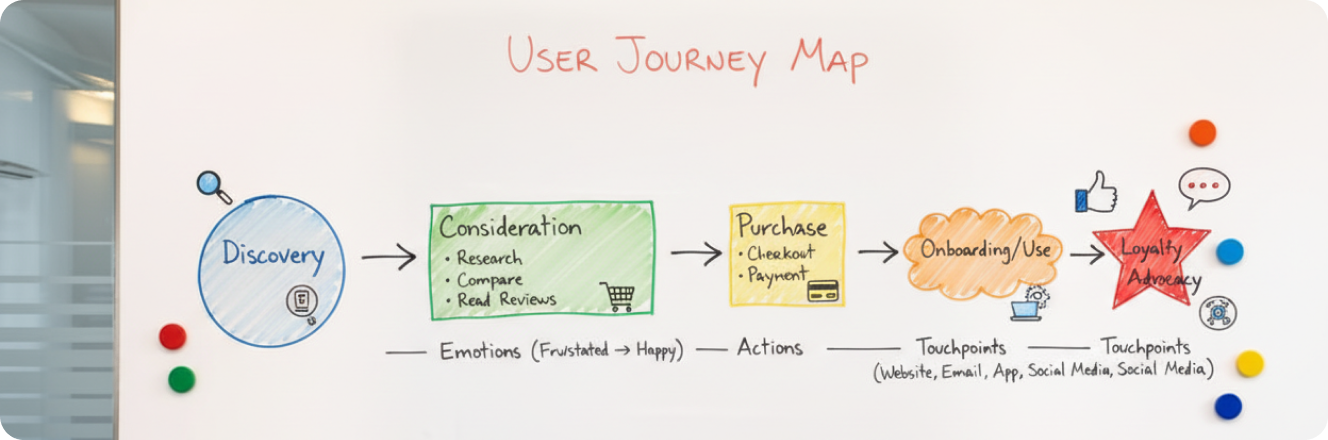
4. User Journey Mapping
Follow the actual paths users take—yes, even the weird ones. Identify friction points, drop-offs, and confusing interactions. If the "Buy" button is harder to find than your car keys, we've got a problem.
5. Accessibility Check
A great product is one that everyone can use. Run audits for WCAG compliance, test keyboard navigation, and check color contrast. Accessibility isn't a "nice-to-have"—it's a must.

6. Synthesize Findings
Here's where you flex your leadership muscles. Turn raw observations into prioritized recommendations. High-impact, low-effort wins go straight to the top. Use frameworks like PIE (Potential – Importance – Ease) or ICE(Impact – Confidence – Ease) to decide what to act on first.
7. Present with Purpose
Your stakeholders don't need UX jargon—they need a clear story. Show them what's broken, why it matters, and how fixing it will move the needle. Use visuals, highlight opportunities, and make it easy to say "yes" to change.

How UX Audits Drive Business Impact (Yes, Really)
Now, let's talk ROI—because improving UX isn't just about delighting users (though that's nice). It's about results.

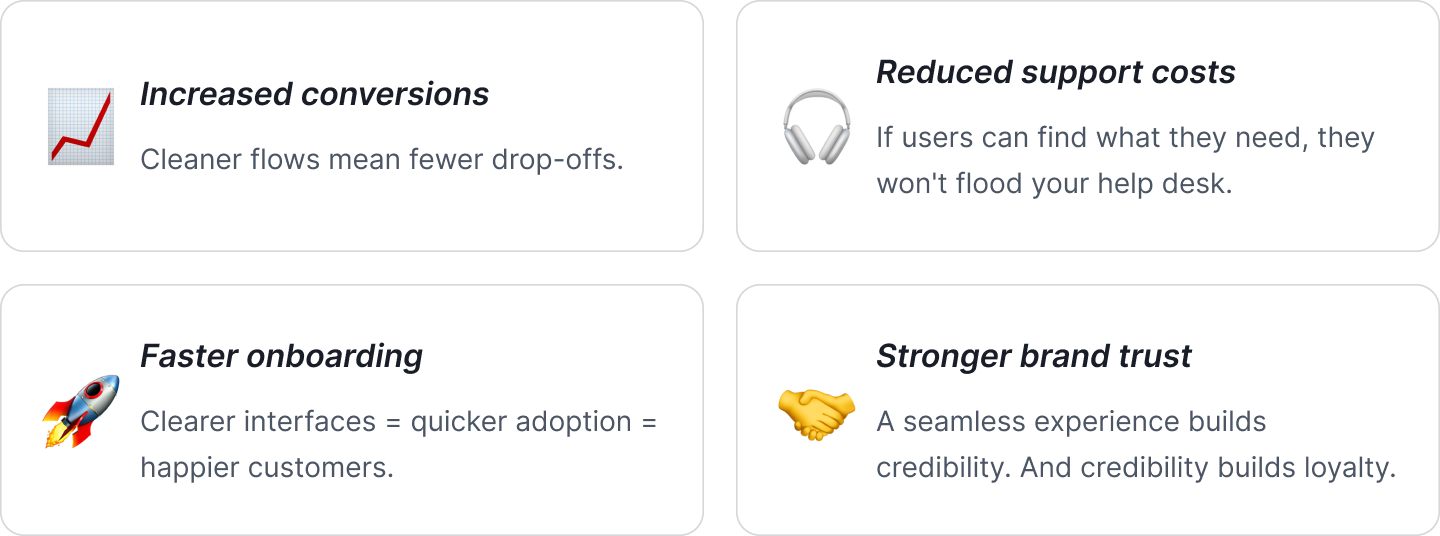
Simply put, better UX equals better business.
Case Study: Booking.com

Booking.com is a masterclass in continuous UX optimization. Through rigorous A/B testing and internal UX audits, they fine-tuned everything from button labels to the layout of room listings. What looked like minor tweaks added up to major conversion gains.
They didn't wait for problems to snowball. Instead, they proactively iterated—testing, learning, and adjusting. That's the power of treating UX as an ongoing discipline, not a one-off fix.
Final Thoughts: UX Audits Aren't Just for Designers
They're for product owners, marketers, engineers—anyone who wants to make better decisions with clarity. A good UX audit doesn't point fingers; it opens doors. It helps teams rally around what really matters: building a product users actually love using.
So whether your product is at MVP stage or enterprise level, take the time to pause and reflect. Audit what you've built. Ask hard questions. And get ready to level up—not just your design, but your impact.
